









In brief
- Regular maintenance keeps your robot vacuum performing at its best and extends the device's lifespan.
- It is best to empty the Sweep's bin after every cleaning session, or keep an eye on how quickly it fills up.
- The anti-tangle brush has no fixed replacement schedule; the more often you use the robot, the more often you should check it.
- If your Drift moves less smoothly or displays an error message, first check for hair or dirt around the wheels and brushes.
- Clean the mopping pad regularly and replace it every three to six months for the best results.
Why is maintenance important for your robot vacuum's performance?
Neglected maintenance is one of the most common reasons why a robot vacuum loses suction power or starts moving less smoothly. Coolblue points out that a full reservoir directly reduces suction power and that dirty components can eventually shorten the device's lifespan.
Euronics confirms this: neglected brushes and clogged filters are the most common reasons why robot vacuums lose suction power or break down sooner than expected. The good news is that most maintenance tasks are quick and require little effort, as long as you do them regularly.
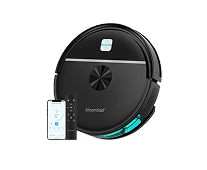
View the full range in the robot vacuums collection.
How often should you empty the reservoir or bin?
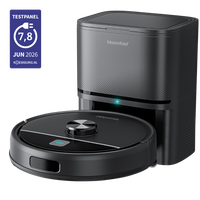
With the Sweep, it is best to empty the bin after every cleaning session, or at least keep an eye on how quickly it fills up in your household. With the Drift, the 3-liter dust bag in the All-in-Home Station means you do not need to check the bin for emptying for up to twelve weeks.
Exactly how often this is necessary depends on your floor type and whether you have pets. A home with a lot of carpet or loose pet hair will fill a bin faster than a home with mostly hard floors.
How often and how do you clean the anti-tangle brush?
There is no fixed replacement schedule for the anti-tangle brush; the more often you use the robot, the faster the brush wears out and the more often you should check it. Euronics recommends checking weekly for hair and tangled dirt as a practical rule of thumb, especially in households where the robot runs daily.
For cleaning, Yahoo Tech describes a simple approach: use scissors or a soft brush to loosen trapped hair, taking care not to damage the brush. You can find replacement brushes in the parts for your robot vacuum.
What should you do if the wheels turn less smoothly or you receive an error message?
Turn off the Drift and check whether there is hair, string, or dirt around the wheels and brushes. Carefully remove it and then restart the Drift. This is usually the first step for movement problems or an error message, before assuming there is a defect.
This aligns with what is also mentioned in general maintenance guides. Yahoo Tech and AutomateLife identify dirt stuck in the wheels as one of the most common causes of movement problems in robot vacuums in general, something you can often resolve yourself with a quick check.
How do you maintain the mopping pad?
Clean the mopping pad regularly and replace it every three to six months for the best results. A clean mopping pad ensures that your floor actually gets cleaner instead of spreading dirt around.
You can find new mopping pads for your robot vacuum among the accessories.
A simple maintenance routine to remember
You do not need to make this complicated. Empty the Sweep's bin after every cleaning session (or keep an eye on how quickly it fills up), check the brush regularly for trapped hair, and clean the mopping pad at regular intervals, replacing it every three to six months. If you notice that the robot is moving less smoothly, check the wheels first before looking further.
If you need help with a specific maintenance issue, check the instructions in the help center.


Leave a comment