



Popular topics
Choose a topic and immediately find the right information without searching through long pages.

Order & delivery
From order status to delivery times: everything about your order and its delivery.
-
How do I track my order?
As soon as your order has shipped, you'll automatically receive an email with a track & trace link. Use it to follow your parcel with the carrier (PostNL or DHL). Haven't received an email? Check your spam folder or contact our support team with your order number.
-
What is the delivery time?
Orders are generally delivered within 1 to 2 business days. Orders placed before 23:59 usually arrive the next day. During busy periods (sales, holidays), delivery may take a little longer; we will keep you informed by email.
-
Can I still change my address?
Please contact us as soon as possible at service@bloomfold.com with your order number and the correct address. As long as the package has not yet been processed by the warehouse, we can usually still change the address. If the package has already been shipped, we will work with you to find a solution through the carrier.

Returns & exchanges
Return policy, cooling-off period, and how to easily register a return.
-
How do I register a return?
Register your return through our returns portal: enter your order number and the email address used for your order. After registering, you will immediately receive a return label with instructions. You then have 14 days to drop off the package at a service point. Pack the product as completely as possible in its original packaging. bloomfold.montareturns.com
-
What are the return conditions, and how long do I have to change my mind?
You have 30 days from the purchase date to try out and return your product with no obligation. The product must be complete and in good condition; where possible, return it in its original packaging. Is your return request outside the 30-day period? Please contact us at service@bloomfold.com, and we will look into the options.
-
Who pays for return shipping, and how do I receive a return label?
You will automatically receive the return label after registering via the returns portal. If a product is defective or was delivered incorrectly, we will of course cover the return costs. If you return a product without a defect (for example, because you have changed your mind), you are responsible for the return shipping costs.

Warranty & service
What is covered under the warranty, how long you are covered, and how to use it.
-
What is covered by the warranty?
All Bloomfold products come with a standard 2-year manufacturer's warranty. The warranty covers manufacturing and material defects under normal household use. Damage caused by drops, moisture, misuse, or normal wear and tear (such as filters and brushes) is not covered by the warranty.
-
How long is my warranty?
Standard 2 years from the date of purchase, on all products. Through product registration, you can get an extra year of warranty on participating products (3 years total).
-
How do I register my product for an extended warranty?
On the box of your product, there is a QR code that leads directly to the registration form. Enter your details and proof of purchase there, and your extra year of warranty will be registered.

Payments & invoices
Download invoices, update your details, and get answers to all your payment questions.
-
How do I download (a copy of) my invoice?
You can find the link to your invoice (PDF) in your order confirmation email. Can't find the email anymore? Send us your order number at service@bloomfold.com, and we'll send the invoice again.
-
I haven't received an invoice by email.
The invoice is included as a link in your order confirmation. Haven’t received your order confirmation? Check your spam folder and the email address you used. We’ll be happy to resend the invoice upon request; please include your order number.
-
Can I change my billing information or billing address?
By law, changes to billing details may not be carried out or promised immediately. Send us a message with your order number and the correct billing details (name, address, and, if applicable, company name and VAT number). An employee will review your request and contact you as soon as possible.

Account & other questions
From account settings to language and country preferences: practical information all in one place.
-
How do I unsubscribe from the newsletter?
At the bottom of every newsletter you'll find an unsubscribe link; one click and you're unsubscribed. Didn't work, or still getting emails afterwards? Send a message to service@bloomfold.com and we'll unsubscribe you straight away.
-
How do I change the website's language or country?
In the top bar (and in the footer) you'll find a country and language selector. Click it to change your country, currency and language (Dutch or English).
-
How can I contact customer service, and what are the opening hours?
We are available seven days a week at service@bloomfold.com. We generally respond within 24 hours.

Installation & use
Unpack, connect, and be ready to use within a few minutes.
-
How do I install my product?
Each product comes with a manual containing installation instructions. Most products are plug-and-play: unpack, place the filter or reservoir (if applicable), and switch it on. If you need help, our support team will be happy to guide you step by step.
-
Where can I find the manual?
The paper manual is included in your product's box. Need a digital copy? You'll also find it on our help centre page under the 'manuals' heading.
-
Is the manual also available in Dutch?
Yes. The manuals for our products are multilingual and include a complete Dutch section as standard (alongside English, German, French, Spanish, Italian, Portuguese, Swedish and Norwegian, among others). A paper copy is included in the box; you can find a digital version on this help centre page.

Discounts & promotions
Everything about discount codes, promotions, and how to make the most of them.
-
My discount code isn't working
Check that the code has been entered correctly (without spaces), is still valid and applies to the products in your basket. Some codes don't apply to products that are already reduced, and discount codes can't be combined. Still not working? Send us a screenshot showing the code and we'll take a look.
-
How do I receive the 5% newsletter discount?
Sign up for the newsletter at the bottom of the website. You will receive the discount code by email, which you enter at checkout. The discount applies to your next order.
-
Can I combine multiple discount codes?
No, you can use one discount code per order.

Air & climate
Which device suits your space and how to get the most out of it.
-
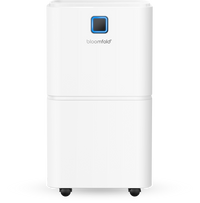
Which dehumidifier is suitable for my space (12L, 20L, or 25L)?
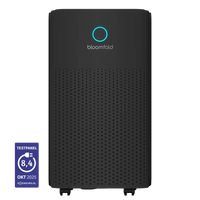
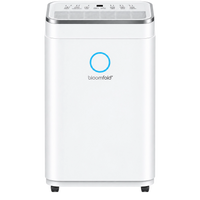
Choose based on the room size. Our compressor dehumidifiers are suitable per model for: Aura 10L – up to approx. 20 m²; Luna/Vivid 12L – up to approx. 20 m²; Halo 12L – comparable (air volume 123 m³/hour); Harmony 16L – up to approx. 30 m². The larger Orbit (20L/25L) and Eclipse (25L) are intended for larger or more humid spaces such as basements and cellars. If in doubt, choose a model with somewhat more capacity than your space requires, so the appliance works more efficiently.
-
How do I connect the drain hose for continuous water drainage?
Each dehumidifier comes with a drain hose. To connect it: turn off the appliance and unplug it, locate the drain connection on the back, remove the rubber cap, and firmly insert one end of the hose into the opening. Place the other end in a floor drain, sink, or bucket. Make sure the hose always slopes downward, is not higher than the drain opening, and is not kinked or twisted. The water tank remains in the appliance during continuous drainage; the water then drains through the hose instead of into the tank, so you no longer need to empty the tank.
-
What is the laundry-drying function and how do I turn it on?
The laundry-drying function (labelled 'CNT' or shown as a T-shirt icon on some models) keeps the dehumidifier running continuously, so moisture from wet laundry disappears more quickly. Press the MODE button repeatedly until the T-shirt icon lights up or 'CNT' appears on the display. The appliance will then keep running until you turn it off or the tank is full.

Swift & Drift
Everything you need to know about your Swift stick vacuum or Drift robot vacuum.
-
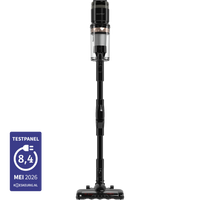
Do I need to attach the Swift wall mount to the wall?
No, the wall mount is optional: you can also use the Swift without wall mounting and charge it by connecting the charger directly to the vacuum cleaner.
-
How long does the Swift's battery last, and what is the charging time?
The Swift has three settings: up to 60 minutes on the lowest setting, 30 minutes on the medium setting, and 15 minutes at full power. A full charge takes 4 to 6 hours.
-
How powerful is the Swift's suction?
The Swift delivers 120 AW of suction power with a 350W motor - the performance class of a full-size stick vacuum cleaner.

Parts & accessories
Filters, cables and accessories: quickly find the right part for your product.
-
Which filter is right for my product, and where can I order it?
You can find replacement filters in the Parts and Accessories categories on our website. Always use a filter that matches your model: our air purifiers use a Bloomfold H13 HEPA filter (including Aura and Cyclone), the Swift stick vacuum uses an H12 HEPA filter, and the dehumidifiers use a removable nylon air filter (which you clean instead of replacing). Not sure which filter fits? Send us the product name or model number (e.g. BF010), and we’ll find the right filter for you.
-
When should I replace the filter?
As a guideline: replace the Cyclone's HEPA filter every 4 to 8 months, and the filters in our other air purifiers every 6 to 12 months, depending on usage and air quality. A filter that is visibly dirty or discoloured is due for replacement – that means it is doing its job.
-
Can I order a separate battery, cable, or remote control?
Individual parts are available for many products, such as batteries, filters, brushes, and mop pads (including for the Swift, Drift, and Sweep). Unfortunately, separate cables for the electric blanket are not available; in that case, we replace the entire product under warranty. Can't find the part you're looking for on the website? Send us a message with the product name and, if possible, a photo of the part.

Electric blankets
Use, care and the right model to keep you warm.
-
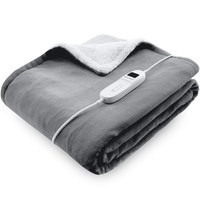
My electric blanket isn't heating up (properly)
First check that the controller/switch is properly and fully inserted into the blanket (on the Glow and Cloud models, the locking tab clicks into place) and that the plug is plugged into the socket. Make sure the blanket is fully unfolded and flat - not folded or creased, as it will not heat properly. Turn on the blanket and select a higher heat setting; let it warm up for a few minutes. If the blanket switches itself off, the timer may have expired or the overheating protection may have been activated: turn it off, let it cool completely, reconnect the controller, and restart it. If the problem persists, stop using the blanket and contact customer service.
-
Can the electric blanket go in the washing machine?
This varies by model, so always disconnect the controller/cable first and let the blanket cool completely. The newer Glow (BF201/BF202) and Cloud (BF203) blankets are machine-washable at a maximum of 30 °C with the detachable controller removed. The Kindle (BF204) underblanket is best washed by hand only, at a maximum of 30 °C and no more than twice a year. For all models: do not dry-clean, tumble-dry, or iron, and then let the blanket dry naturally, flat and out of direct sunlight (not near a radiator or by turning it on). Always follow the care label on your blanket.
-
What is the difference between the sizes and models?
We have various blankets and sizes. The Glow models are available as a throw blanket measuring 160 x 130 cm (BF201) and as a larger 180 x 160 cm version (BF202), with 9 heat settings and a timer. The Cloud (BF203) is a blanket with 9 heat settings and a display. There is also the Kindle electric underblanket, available in a single-person version (150 x 80 cm, BF204) and a two-person version (BF205); the underblanket goes under the sheet and has 3 heat settings. An underblanket lies underneath you, while a (throw) blanket goes over you.

Instruction videos
See step by step how to set up and make the most of your product.

