









In brief
- The most common cause is that your robot vacuum is trying to connect to a 5GHz network, while it only supports 2.4GHz.
- Set up a separate 2.4GHz network (or split your Wi-Fi band), turn on Bluetooth and location permissions, and keep the robot close to the router during setup.
- A reset usually resolves persistent connection problems.
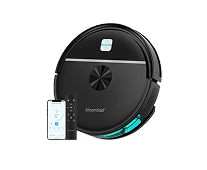
- The Drift and the Sweep must be connected to the app to be controlled; without Wi-Fi, you cannot control them.
- If the robot still cannot connect after these steps, support will be happy to help.
Why won't my robot vacuum connect to Wi-Fi?
Almost always because the device is trying to connect to a 5GHz network, while it only supports 2.4GHz. Android Authority explicitly lists robot vacuums as examples of devices that benefit from the 2.4GHz band, precisely because that signal passes through walls and floors better than 5GHz.
IoT For All explains the technology behind this: a 2.4GHz signal loses less strength when passing through walls than a 5GHz signal, making it the logical choice for devices that need to travel throughout your home while maintaining a connection. That is also exactly why virtually all robot vacuums, including those from Bloomfold, only work on 2.4GHz.
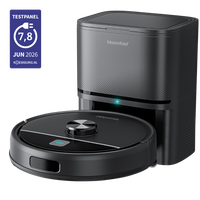
View the full range in the robot vacuum collection.
How do you set up your router for a seamless connection?
Make sure a separate 2.4GHz network is available for your robot vacuum to connect to. Many modern routers automatically combine 2.4GHz and 5GHz under one network name, which can be confusing for devices that only recognize 2.4GHz.
Aartech describes a simple solution: split the two frequency bands in your router settings so you have a separate network for 2.4GHz devices. Also turn on Bluetooth and location permissions on your phone; these are needed to find and pair the robot. Keep the robot close to the router during setup, within a few meters, for the most stable initial connection.
Step by step: reconnecting your robot vacuum
Follow these steps in order if your robot will not connect:
- Check that your phone is connected to the 2.4GHz network, not 5GHz.
- Turn on Bluetooth and location permissions in your phone's settings.
- Place the robot vacuum close to the router and make sure it is turned on.
- Open the app and restart the pairing process.
- If it still does not work, reset the robot according to the instructions in the app and try pairing again.
This sequence resolves by far the majority of connection problems, simply because the cause is almost always the network band or the phone settings, not a defective device.
Does the Drift or Sweep work without Wi-Fi or the app?
No. Both the Drift and the Sweep must be connected to the app to be controlled; that is how you operate the device. Without an active Wi-Fi connection and app pairing, you cannot start, schedule, or configure the robot.
This means that a stable 2.4GHz connection is not optional but necessary for using your robot vacuum. If you cannot figure it out yourself, see the detailed instructions in the help center.
What if it still does not work after these steps?
Contact support, preferably with a short video showing what goes wrong during pairing. This makes it much easier for the technical team to see exactly where the process gets stuck and provide a suitable solution more quickly.
You can reach customer service via the contact page.
Almost always the same issue, quickly resolved
A robot vacuum that will not connect may initially feel like a major problem, but in practice it almost always comes down to the same cause: a 5GHz network that the device cannot use. With the right network settings, you can usually get back up and running within a few minutes.
Still deciding between the Drift and the Sweep? The product quiz will help you get started.


Leave a comment