Bundle & Save; 10% discount
Healthy air. Clean floors. Without effort.
Up to 40% summer discount on the entire range

360+ reviews | 25k+ happy customers
360+ reviews | 25k+ happy customers
Discover our award-winning technology for a healthy living environment.
 Excellent reviews | 25,000+ satisfied customers
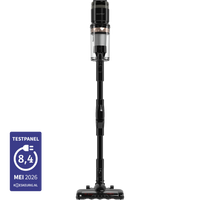
No, the wall mount is optional: you can also use the Swift without wall mounting and charge it by connecting the charger directly to the vacuum cleaner.
The Swift has three settings: up to 60 minutes on the lowest setting, 30 minutes on the medium setting, and 15 minutes at full power. A full charge takes 4 to 6 hours.
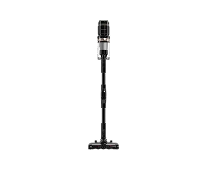
The Swift delivers 120 AW of suction power with a 350W motor - the performance class of a full-size stick vacuum cleaner.
Yes, the battery and H12 HEPA filter for the Swift are available separately, making it easy to extend the life of your vacuum cleaner.
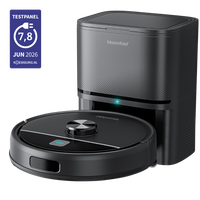
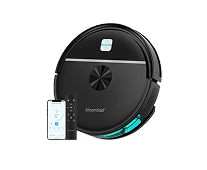
Connect your phone to a 2.4GHz Wi-Fi network (the Drift does not support 5GHz), turn on Bluetooth and location permission, and follow the steps in the Smart Life app. If pairing fails: restart the Drift and your router, place the Drift close to the router while pairing, remove the device from the app, and try again. If necessary, reset the Drift by holding the power button for approximately 5 seconds until the light flashes.
The Drift automatically maps your home through the Smart Life app. During the first cleaning session, it creates a floor plan while cleaning using smart cleaning. Once the map is ready, go to Map Management in the app: there, you can divide rooms, set the cleaning order, and configure no-go zones and no-mop zones - for example, the kitchen. You can also have it clean by room or zone (a drawn rectangle), or tap a single point for targeted spot cleaning.
The Drift can store up to 10 maps, including across multiple floors.
Yes, you can also use the Drift without the mopping function: leave out the mop pad and water tank, and it will vacuum only. If you do want to mop a wooden/parquet floor, use a lightly dampened mop and set the water level low so the floor does not get too wet; if necessary, wipe up any remaining water afterward. Clean the mop regularly and replace it every 3-6 months for the best results.
Drift's All-in-Home Station automatically empties the dustbin after each cleaning session; you only need to empty the station itself occasionally. In addition, regularly clean the brushes and sensors, and wash or replace the mop pad after use.
×Turn off the Drift and check whether hair, cords, or dirt are wrapped around the wheels and brushes; remove them carefully. Then restart the Drift. If the error message keeps appearing, send us a video of the problem along with your order number - we'll provide a suitable solution under the warranty.