Bundle & Save; 10% discount
Healthy air. Clean floors. Without effort.
Up to 40% summer discount on the entire range

360+ reviews | 25k+ happy customers
360+ reviews | 25k+ happy customers
Discover our award-winning technology for a healthy living environment.
 Excellent reviews | 25,000+ satisfied customers
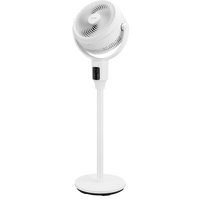
First check the remote control’s battery and replace it with a new coin cell. For the Airflow Pro tower fan, this is a CR2025 coin cell. Point the remote control directly at the device’s receiver, with no obstacles in between, and make sure you are within range. If it still does not work, check whether the fan responds when you use the buttons on the device itself, and contact customer service.
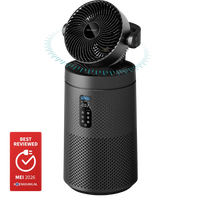
This varies by model. On the Cyclone air purifier/fan (BF400), you can turn oscillation (the back-and-forth movement) on or off using the oscillation button on the control panel or via the remote control; in pure purification mode, oscillation is off and it remains pointed straight ahead. When switched off, it continues rotating briefly to center itself. The Airflow Pro tower fan also has an oscillation/mode function via the panel and remote control.
Check that the fan is stable and level and that all parts are securely fastened. If the noise persists, send us a video in which the noise is audible, along with your order number - our technical team will then assess whether it is covered by the warranty.
Yes - a bladeless fan has no accessible rotating blades on the outside, keeping little fingers and paws safe. As with any electrical appliance, make sure the cord is out of reach.
The portable air conditioner comes with an adjustable window sealing kit (window kit) with an adapter for the exhaust hose. Extend the kit to fit the length of your window, connect the exhaust hose to it, and then close the window to clamp the kit in place; if necessary, secure it further with tape. The kit is adjustable in length, so it fits various window openings.
Yes. Our portable air conditioners (Flow 9,000 BTU and Airstream 12,000 BTU) can be controlled via Wi-Fi using the Smart Life app. To set it up: install the Smart Life app and create an account, activate the Wi-Fi function in the device settings, place the air conditioner about 5 meters from your router, and press and hold the timer button to start network configuration. Once the Wi-Fi light flashes, pair the device in the app (2.4 GHz network). If pairing does not work within 3 minutes, repeat the step using the timer button.
Popular products such as air conditioners and fans are sometimes temporarily out of stock during the season. The product page shows when a product is expected to be available again; via “notify me,” you will automatically receive an email as soon as it is back in stock.